

One of the most common and debilitating performance issues in the Windows 11 operating system is the dreaded “100% Disk Usage” error. You might notice your computer suddenly grinding to a complete halt, applications taking several minutes to open, or your mouse stuttering uncontrollably across the screen. When you manage to open the Task Manager …

Keeping your Windows 11 operating system updated is crucial for security and performance. However, the update process is not always seamless. One of the most frustrating roadblocks users encounter is Error 0x800f081f. Usually, this error code appears alongside a message that reads: “There were some problems installing updates, but we’ll try again later.” The installation …

Few things in the tech world evoke as much dread as the Windows Blue Screen of Death (BSOD). It interrupts your workflow instantly, forcing a system restart and often resulting in unsaved data loss. Among the various stop codes Windows 11 can throw at you, CRITICAL_PROCESS_DIED (Stop Code 0x000000EF) is one of the most severe …

Upgrading to a modern operating system like Windows 11 usually brings expectations of lightning-fast performance, especially when paired with a Solid State Drive (SSD). However, many users quickly find their computers taking minutes rather than seconds to reach a usable desktop state. You press the power button, wait through the manufacturer’s logo, stare at the …
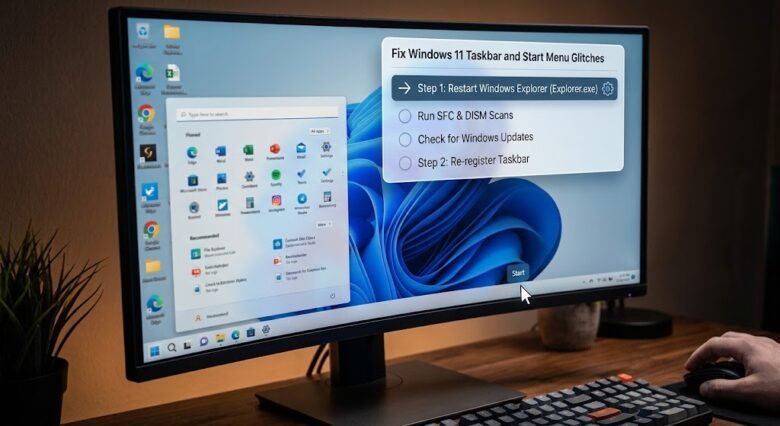
The Taskbar and Start Menu are the primary navigational arteries of the Windows 11 operating system. When you click the Windows icon and nothing happens, or when the taskbar freezes, disappears, or continuously loads with a spinning blue circle, your entire workflow comes to a grinding halt. You are left unable to open applications, search …

Safe Mode is one of the most powerful diagnostic tools built into the Windows 11 operating system. When your PC is suffering from crashing drivers, severe malware infections, or stubborn software bugs, booting into Safe Mode loads only the bare minimum system files and drivers, allowing you to troubleshoot and repair the issue in a …